 DeepL-oFM
Translate text and documents on your Mac
Run Hy-MT2 7B locally with Ollama or choose a cloud provider. Edit the original and read the translation side by side.
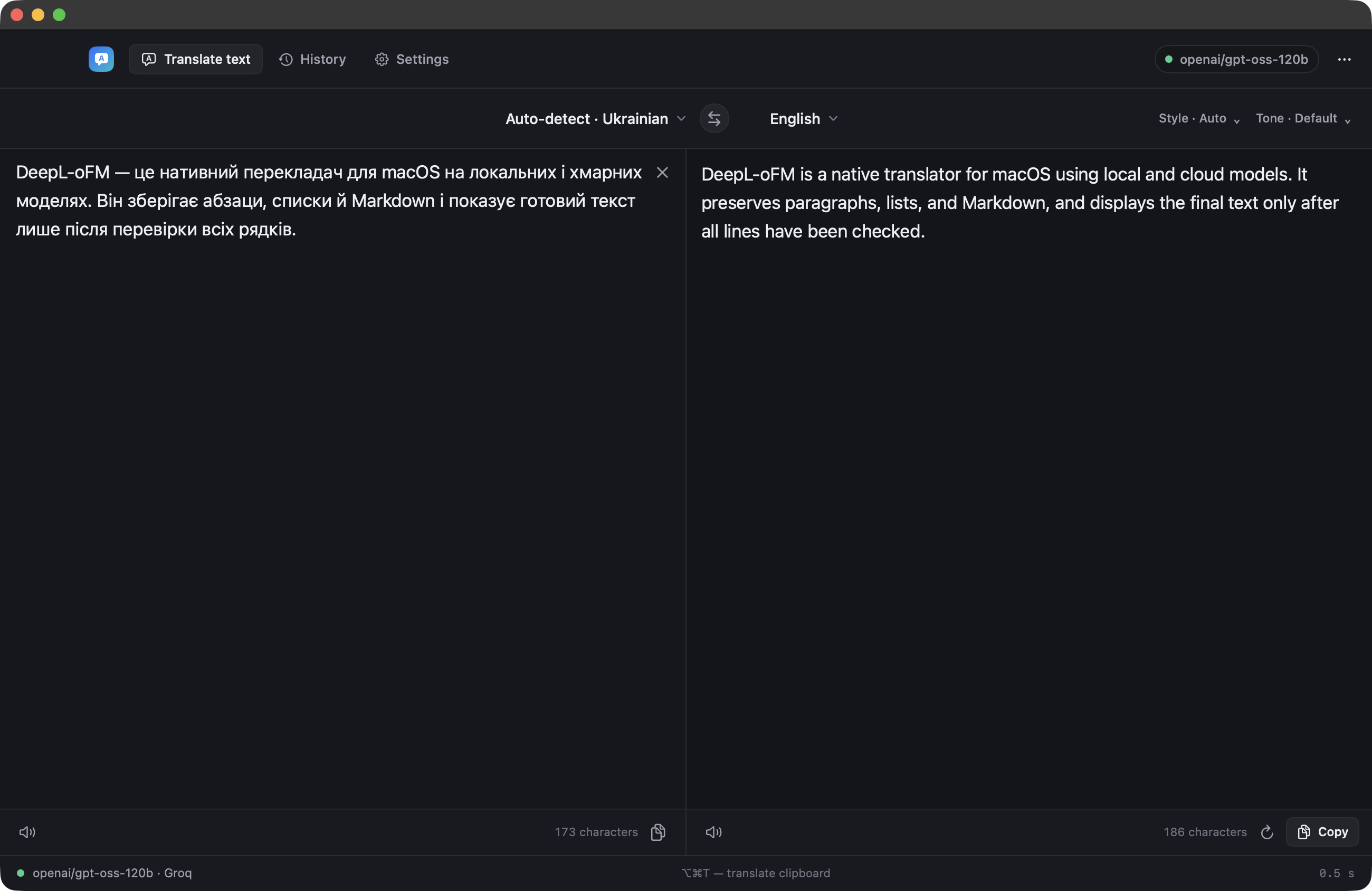
Watch the demo
See how to translate a file and switch between the three views of a result.
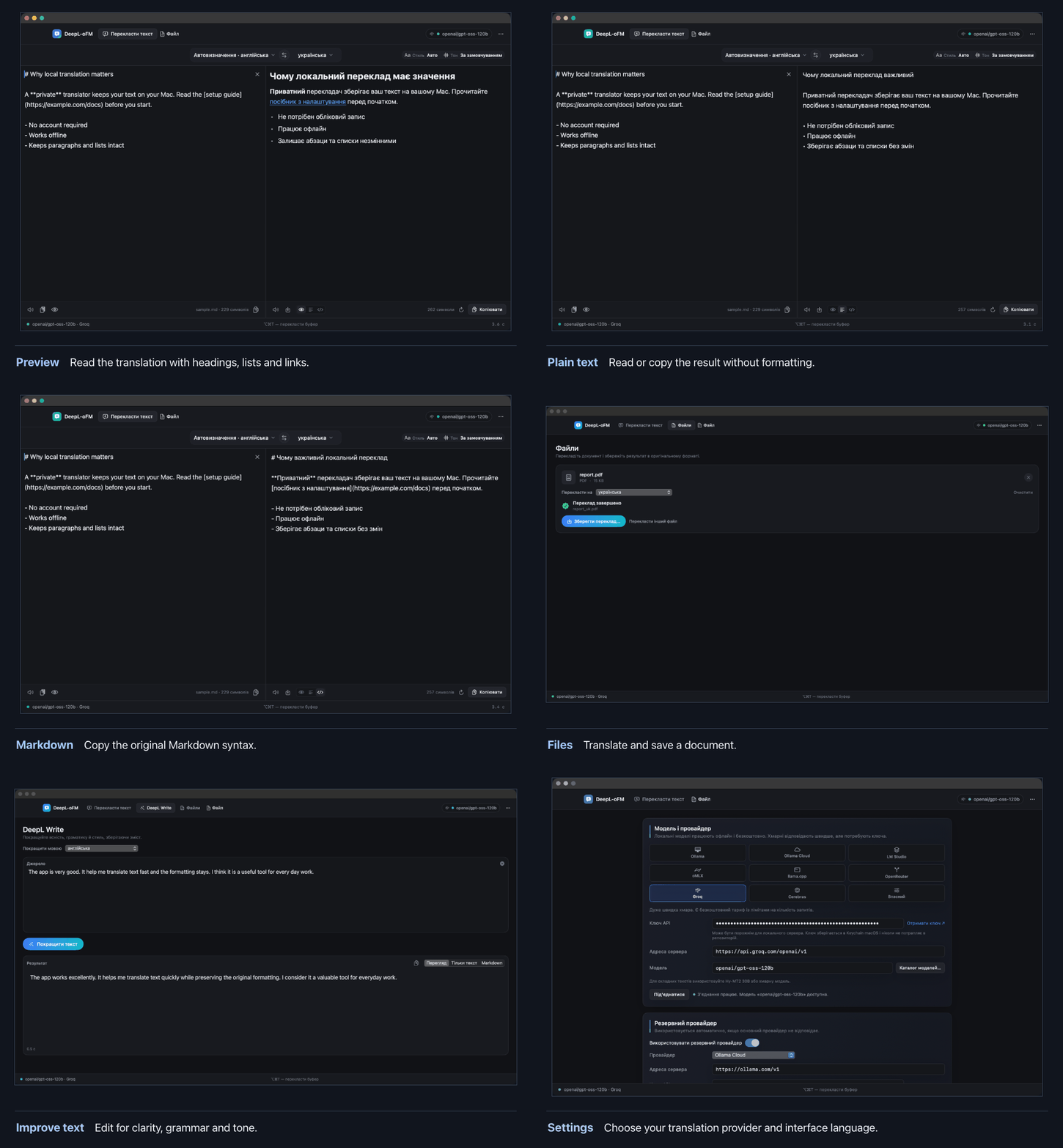
What you can do
Local or cloud
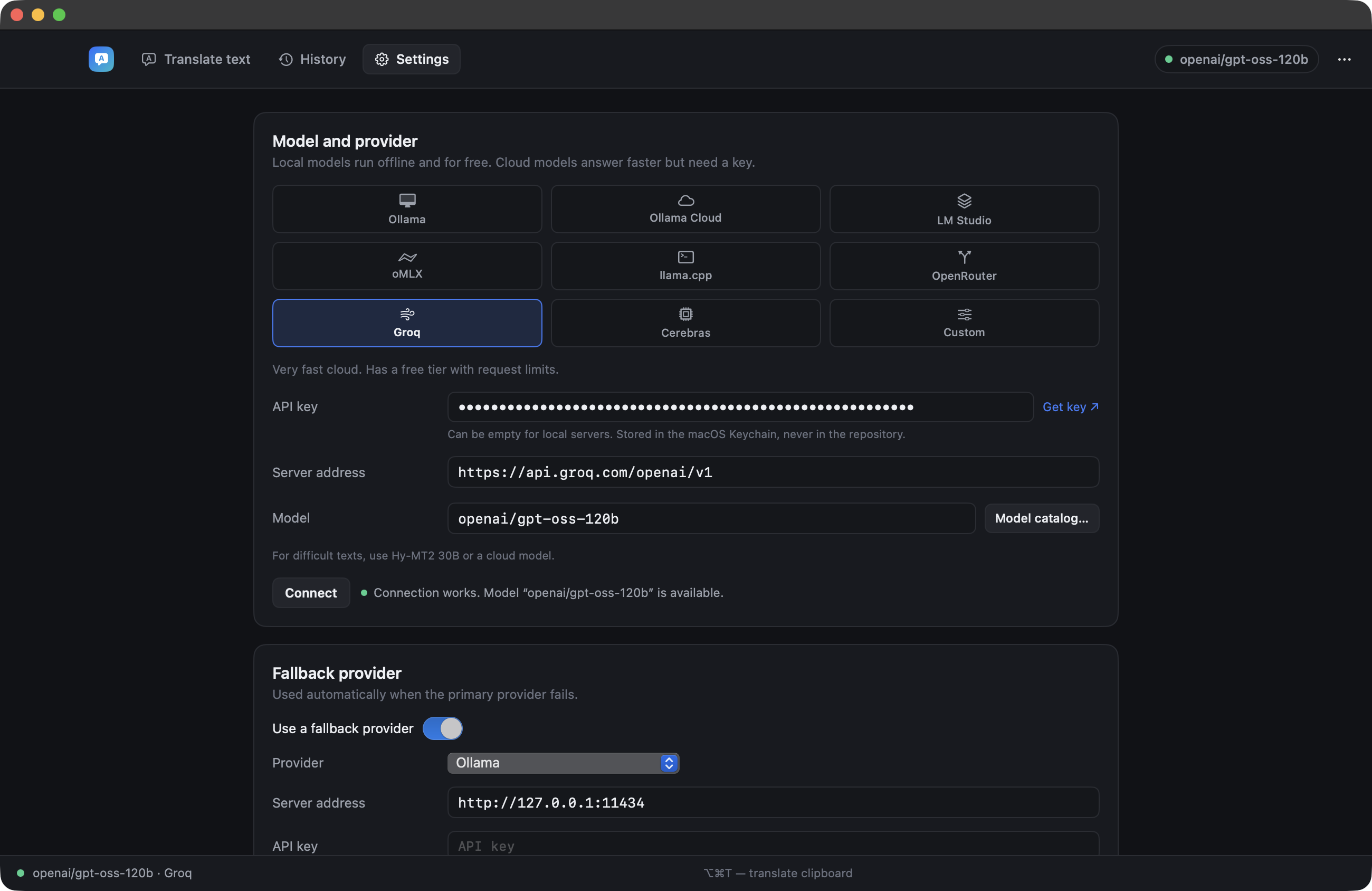
Use Hy-MT2 7B through Ollama offline. To use OpenRouter, Groq or Cerebras, add your API key in Settings.
Text and file formats
Translate plain text, Markdown, Word or PDF files. Scanned PDFs need text recognition first.
Copy the result
Choose a preview, plain text or Markdown. Copy uses the view you select.
App updates
The app checks for signed updates. You can choose to install them automatically.
Privacy
The app has no account or analytics. When you use a cloud provider, it receives the text you translate. macOS Keychain stores your keys.
Keyboard shortcuts
Translate clipboard contents or selected text from another app. The selection shortcut needs Accessibility permission to copy the text.
Screenshots
See the translator and provider settings. The guides below have screenshots in more languages.
Install on Mac
Open the downloaded disk image and drag DeepL-oFM into Applications.
Open the disk image and drag DeepL-oFM onto the Applications folder in the same window.
Choose Ollama or a cloud provider in Settings. Select Connect to see the available models.
Base model:
ollama pull maternion/hy-mt2:7b
ollama cp maternion/hy-mt2:7b hy-mt2:7b
Build from source:
git clone https://github.com/Lexus2016/deepl-on-free-models.git
cd deepl-on-free-models
./setup.sh
open build/DeepL-oFM.app
User guides
Setup instructions, model notes and screenshots in nine languages.